


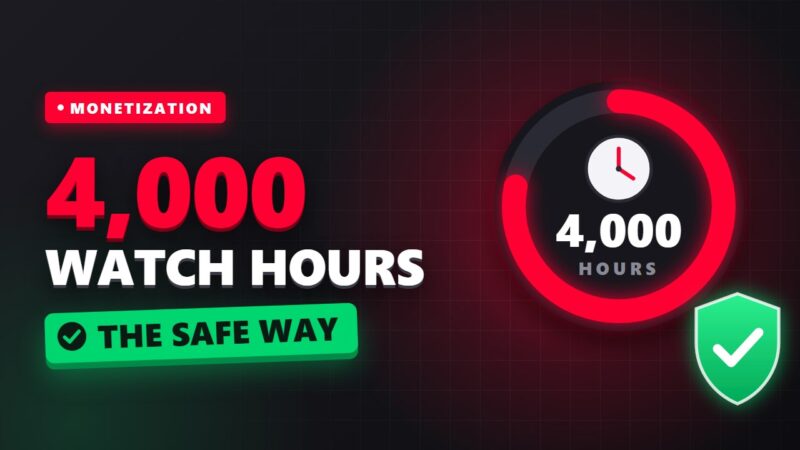
Filling YouTube watch time means bringing the total watch time of your channel’s public videos to 4,000 hours in the last 12 months, which together with 1,000 subscribers is one of the requirements for joining the YouTube Partner Program and monetizing your channel. In this guide we explain exactly which hours count, how many views you need, how to fill your watch time the right way, and why buying watch time can destroy your channel.
What are YouTube’s official monetization requirements?
According to YouTube’s official help page, to join the Partner Program (YPP) and earn ad revenue you must complete one of these two routes:
- Long-video route: 1,000 subscribers + 4,000 valid public watch hours in the past 12 months
- Shorts route: 1,000 subscribers + 10 million valid Shorts views in the past 90 days
These two routes cannot be combined. Your Shorts views in the Shorts feed are not added to the 4,000 watch hours. This is one of the most common mistakes.
Which hours do not count toward filling watch time?
YouTube only counts “valid public watch hours”. These are not included in the 4,000-hour count:
- Private and unlisted videos
- Deleted videos
- Views that came from YouTube ad campaigns
- Shorts
- Live streams that are unlisted, deleted or not converted into a saved video
So if you make a high-view video private or delete it, its hours are subtracted from your total. Also, because the 12-month window is rolling, hours older than one year gradually drop out of the count.
How many views do you need to fill 4,000 hours?
4,000 hours equals 240,000 minutes. If you divide this number by the “average view duration” of your videos, you get the number of views you need:
| Average view duration | Views needed in 12 months | Approximately per month |
|---|---|---|
| 2 minutes | 120,000 | 10,000 |
| 4 minutes | 60,000 | 5,000 |
| 6 minutes | 40,000 | 3,334 |
| 8 minutes | 30,000 | 2,500 |
| 12 minutes | 20,000 | 1,667 |
This table shows the most important point about filling watch time: doubling view duration has the same effect as doubling views, but it is usually much easier. For an exact calculation based on your own channel stats, use the watch time calculator.
8 proper ways to fill YouTube watch time
1. Longer videos, but not stretched ones
A 10 to 20 minute video that viewers watch half of builds more watch time than a 3-minute video. But artificially stretching a video has the opposite effect. Topics like step-by-step tutorials, complete reviews and documentaries are naturally long and are the best fit for this goal.
2. A strong start in the first 30 seconds
Most audience drop-off happens at the start of a video. Remove long intros and confirm the promise of your title right away. Read more in the guide to click-through rate and audience retention.
3. Playlists and end screens
Every time a viewer watches your next video instead of leaving, your channel’s watch time grows. Topic playlists, cards and end screens are the main tools; see the complete guide to playlists, cards and end screens.
4. Live streams and saving them
A public live stream counts toward watch time if it stays on the channel as a video after it ends. Live streams are usually long and loyal viewers spend a lot of time on them. Just make sure the saved version is public.
5. Use Shorts as a bridge to long videos
Shorts views do not directly fill the 4,000 hours, but they can attract subscribers and send viewers to the full video through the “related video” tool. Use Shorts as teasers for your main videos.
6. Create evergreen content
Videos that are still searched months later (like tutorials and problem-solving videos) build some watch time every day. News videos only get views for a few days. To find these topics, use the guide to finding ideas and keywords.
7. Take video SEO seriously
Stable watch time comes from search. Optimize the title, description and tags (YouTube SEO guide) as well as chapters and captions (chapters and captions guide) for every video.
8. Check your stats every week
In YouTube Studio, the Earn section shows your progress toward the monetization requirements. Find the videos that built the most watch time and make similar topics. The guide to YouTube Studio analytics will help you with this.
Is buying watch time to fill 4,000 hours safe?
No. Services that sell watch time usually use bots, fake accounts or forced viewing. YouTube’s “fake engagement” policy prohibits artificially increasing views and watch time, and the result can be removed views, a rejected monetization application, or even channel deletion. The bigger problem is that even if it goes undetected, fake viewers spoil your channel’s real stats and the algorithm no longer knows who to recommend your video to. Full details are in the article on buying YouTube watch time.
A 90-day plan to get started
- Month 1: 3 to 5 evergreen tutorial videos with full SEO and one topic playlist
- Month 2: add a teaser Short for each video, plus an end screen and cards on all videos
- Month 3: review your stats, make a better version of your most-viewed video and test one live stream
Frequently asked questions about filling watch time
How long does it take to fill watch time?
It depends on your content area, the number of videos and view duration. With the table above and your channel’s monthly average views you can make a realistic estimate.
Does Shorts watch time count?
No. According to YouTube’s guide, watch time of Shorts in the Shorts feed does not count toward the 4,000-hour requirement. Shorts have their own separate route of 10 million views.
If I make a video private, does my watch time go down?
Yes. Watch hours of private, unlisted and deleted videos are removed from the count, so be careful before deleting old videos with high watch time.
What do I do after my watch time is filled?
Apply for the Partner Program in the Earn section of YouTube Studio. Your channel will be reviewed and must comply with YouTube’s policies. To learn about the next income routes, read the guide to making money from YouTube.
🎯 Not sure what stage your channel is at? Fill in the YouTube path questionnaire in 2 minutes and see your channel’s readiness score.

Leave a Comment