


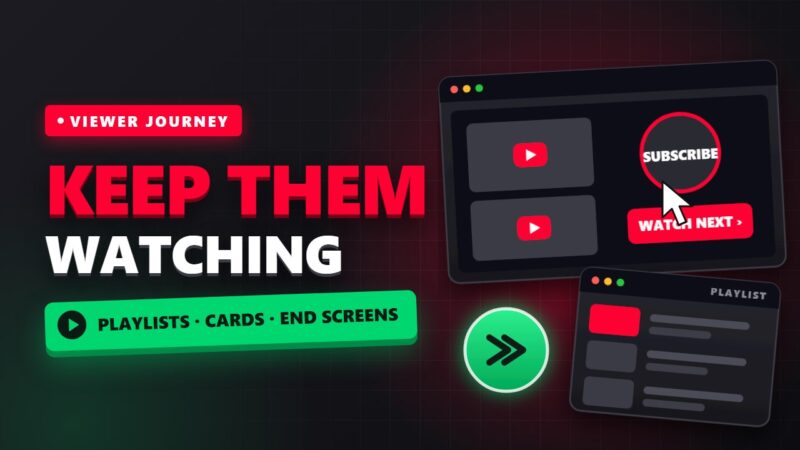
YouTube wants viewers to stay on the platform as long as possible. A video that leads viewers to their next video helps with that goal. You have three main tools for this: playlists, cards and end screens. They also keep your older videos alive and getting views.
Playlists: a structure for back-to-back viewing
A playlist groups related videos and plays the next one automatically when the current one ends. For SEO, playlists have their own titles and descriptions and can appear in search results themselves.
- Build around viewer needs: a playlist like “Phone video editing from scratch” is far more useful than one called “My videos”.
- Logical order: arrange videos from beginner to advanced so viewers have a reason to continue.
- Write a description: a few sentences with natural keywords help YouTube understand what the playlist covers.
- Share the playlist link: on social media and your blog, share the playlist link instead of a single video link.
End screens: your last chance to keep the viewer
In the final seconds of a video (up to 20 seconds) you can show a video, a playlist or a subscribe button on screen. To use them well:
- Leave a few seconds of space for the end screen when you record.
- Point to the next video verbally, for example: “If you want to learn the next step, watch this video.”
- Suggest the most relevant video, not just the newest one.
- Avoid long wrap-ups and goodbyes; viewers usually close the video as soon as they hear closing lines.
Cards: a suggestion at the right moment
Cards are small notifications that appear during a video and link to another video or playlist. Place a card exactly where you mention a topic that you explain fully in another video. Avoid cards in the first minutes; they can pull viewers away before they see your main content.
Revive your older videos
If you have older videos that still get views, update their cards and end screens so they point to your newer and better videos. This is one of the simplest ways to push views to fresh content.
How to measure the result
In YouTube Studio, check the traffic sources for each video. If the share of “Channel pages”, “Playlists” and “End screens” grows, your videos are passing viewers to each other. The end screen performance report also shows which element gets the most clicks.
Implementation checklist for every new video
- Add the video to a topic playlist.
- Reserve 15 to 20 seconds at the end for an end screen and verbally point to the next video.
- Add one card to a related video at the right moment.
- Put the playlist link and the related video link in the description.
- Seven days later, check the video’s traffic sources and adjust the card and end screen if needed.
Common mistakes with playlists, cards and end screens
- Creating playlists with no clear topic.
- Adding five cards to one video, which confuses viewers.
- An end screen with no spoken pointer to the next video.
- Forgetting to revisit older videos that still get views.
If you also make Shorts, they can lead viewers to your long videos too. Read about recent Shorts changes in our article on the new YouTube Shorts originality update (in Persian), and see the YouTube income guide for choosing topics that pay off.
Frequently asked questions
How long can an end screen be?
An end screen can last up to 20 seconds at the end of a video, so leave enough room for it when you record.
How many cards should one video have?
There is no fixed number. One or two relevant, well-timed cards usually work better than many scattered ones.
Where do I see whether end screens work?
Open the end screen report and the traffic source report in YouTube Studio. If clicks are low, suggest a more relevant video.
Leave a Comment